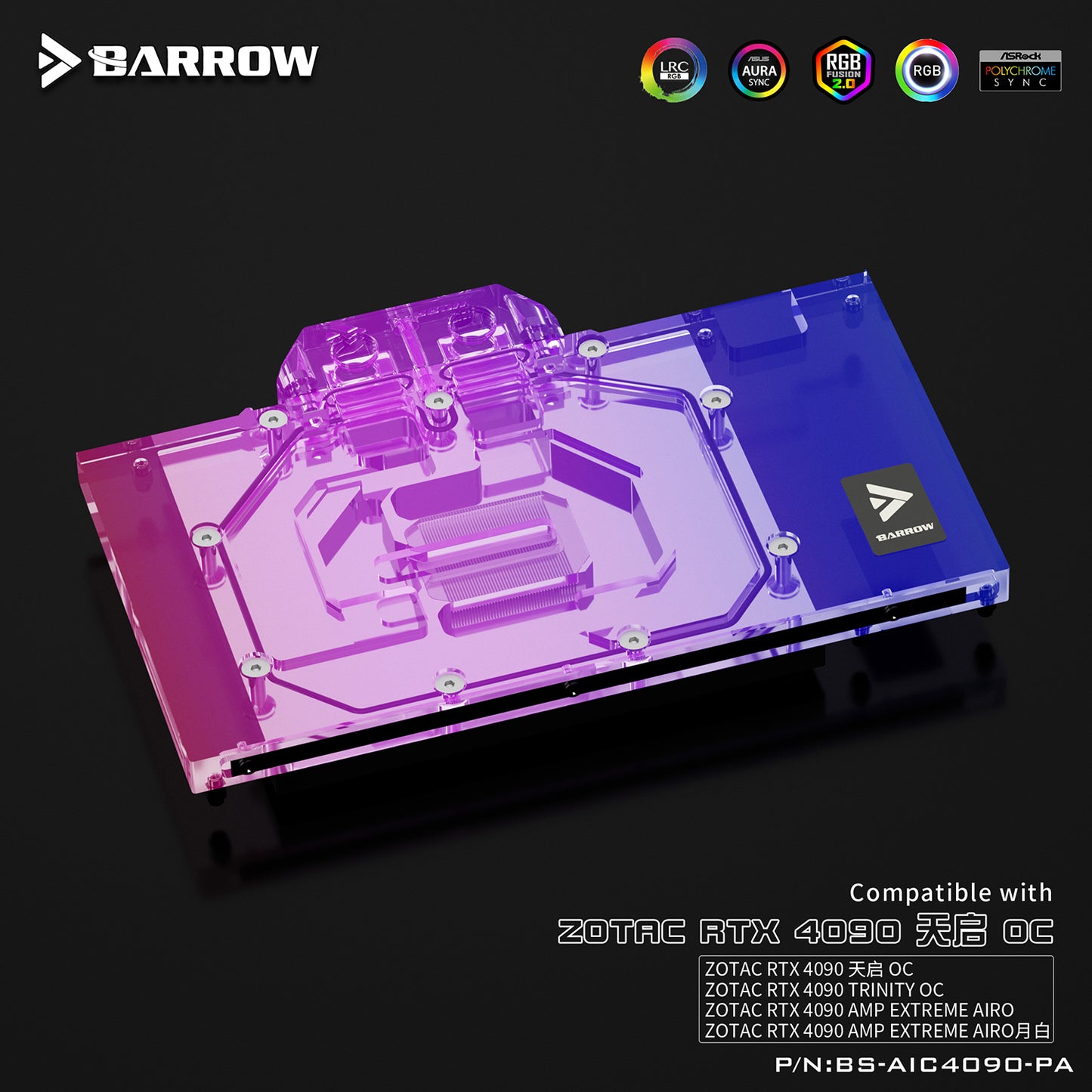


Barrow 4090 GPU Block Full Cover Graphics Card Water Cooling Blocks, For ZOTAC RTX 4090 TRINITY OC AMP EXTREME AIRO, BS-AIC4090-PA
Barrow 4090 GPU Block Full Cover Graphics Card Water Cooling Blocks, For ZOTAC RTX 4090 TRINITY OC AMP EXTREME AIRO, BS-AIC4090-PA
SKU:BS-AIC4090-PA_BK
Verfügbarkeit für Abholungen konnte nicht geladen werden
The Barrow BS-AIC4090-PA is a full-cover water block engineered specifically for Zotac RTX 4090 Trinity OC and AMP Extreme AIRO variants, targeting home AI labs running Stable Diffusion, Ollama, and local LLMs at 450W sustained load.
Silence is mandatory for bedroom inference rigs. Stock triple-fan coolers scream at 50–60 dBA during continuous AI workloads; this block drops operation below 30 dBA, transforming your space into a livable workspace. VRAM protection is equally critical: 24GB GDDR6X junction temperatures spike past 90°C during hours-long model training or batch generation, triggering aggressive throttling that extends render times by 30% or more. The full-cover design presses nickel-plated copper directly against every VRAM module and VRM stage, eliminating thermal bottlenecks entirely.
For multi-GPU AI builders, two RTX 4090s in a single case exhaust 900W+ of heat—an impossible thermal load for air cooling. Water cooling becomes physical necessity, not luxury. Even single-GPU deployments benefit from sustained thermal headroom: 24/7 inference reliability demands stable junction temperatures, not the thermal yo-yo of blower cycling. If you're reviving a thermally-stressed Zotac 4090 from years of heavy use, this block performs a complete thermal reset.
Construction: nickel-plated copper cold plate, full acrylic or POM top (variant dependent), G1/4" standard threads, integrated backplate included. Ships worldwide.
Frequently Asked Questions
Is this waterblock compatible with my RTX 4090?
This Barrow waterblock is designed for the RTX 4090. Check the product title for specific card brand compatibility — non-reference PCB designs (ASUS Strix, MSI Suprim, etc.) require model-specific blocks. Reference/Founders Edition cards use a different block.
How much quieter will my RTX 4090 be with water cooling?
Stock RTX 4090 coolers run at 45-65 dBA under sustained AI workloads like Ollama or Stable Diffusion. A full-cover waterblock reduces noise to under 30 dBA — quieter than a refrigerator. VRAM temperatures also drop from 90°C+ to 60-70°C, preventing thermal throttling during long inference sessions.
What else do I need for a complete loop?
Besides this waterblock, a complete custom loop needs: a radiator (360mm minimum for 450W TDP), a D5 or DDC pump with reservoir, G1/4 fittings (8-12 pieces), tubing (soft or hard), and coolant. FormulaMod carries all components — browse our AI Workstation Cooling collection for complete setups.
Can I run this 24/7 for AI inference?
Yes. Water cooling is designed for sustained loads, unlike air coolers which rely on fan speeds that create noise. A properly maintained loop can run 24/7 indefinitely with coolant changes every 12-18 months.
Does FormulaMod ship to the USA and Europe?
Yes. We ship worldwide from our Shenzhen warehouse. USA and EU orders typically arrive within 7 days. All products are covered by our return policy.
Why Water Cool the RTX 4090?
- 24/7 Stable Diffusion inference pushes VRAM to 90°C+ junction; full-cover waterblocks eliminate throttling
- Dual-4090 builds (900W total GPU) are physically impossible in normal cases without water cooling — 3-slot air coolers block each other
- The #1 used-GPU-to-waterblock conversion target — buyers snagging secondhand 4090s want silent 24/7 AI rigs
Full-cover water blocks cool GPU die + VRAM + VRM simultaneously — unlike air coolers that only target the GPU die.
Share